Login screen
The login screen is the first screen shown when you start up Guild Wars: the login dialog, announcements, and other current notices are drawn in front of the current character selection screen backdrop while the camera slowly orbits the area and the current theme music plays.
You can manage your options before entering the game, though key bindings are unchangeable outside of the game proper.
You can create a new account, add access keys, or test your hardware in the login dialog. Further account managment options are available once you log in and enter the character selection screen.
Reset Password[edit]
The Reset Password option is unavailable; contact Support if you forgot your password. If you know your password and want to change it, see the instructions here.
Notes[edit]
- A security question, requiring the name of a character on the account, was added with the December 21, 2009 update. It was later removed with the September 30, 2020 update.
- Two-factor authentication was added in the June 6, 2018 update. This can be configured via your ArenaNet Account.
 Bug.The text on the two-factor authentication pop-up will not wrap properly until the Guild Wars window is focused. However, this does not impact functionality.
- The Performance Monitor is available in the lower right corner, allowing you to gauge your graphic and network performance before entering the game.
- If you check "Hide UI", the login screen UI will disappear after an idle timeout, and then reappear when you move your mouse. This option will also remain set between visits to the login screen.
- You can automatically bypass the login screen by using certain command line switches.
- If there are no announcements to display, that pane will not be shown at all.
See Also[edit]
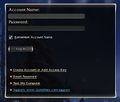
The current login pane
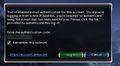
The email version of the two-factor authentication pop-up
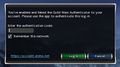
The authenticator app version of the two-factor authentication pop-up
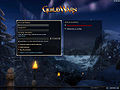
The login screen from the December 21, 2009 through September 30th, 2020)
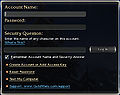
Account login pane (after the December 21, 2009 update)
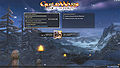
The login screen (before the December 21, 2009 update)
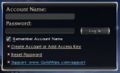
Account login pane (before the December 21, 2009 update)
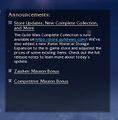
Announcements pane


.jpg)
.jpg)



